SwetyEditor › Cuts
Cuts: remove silence, filler words and marked sections in Premiere Pro
Cuts takes out the dull parts of a recording for you: quiet gaps, filler words, bad words and any section you have marked. Every tool saves a backup of your sequence first, so you can always go back.
What’s inside
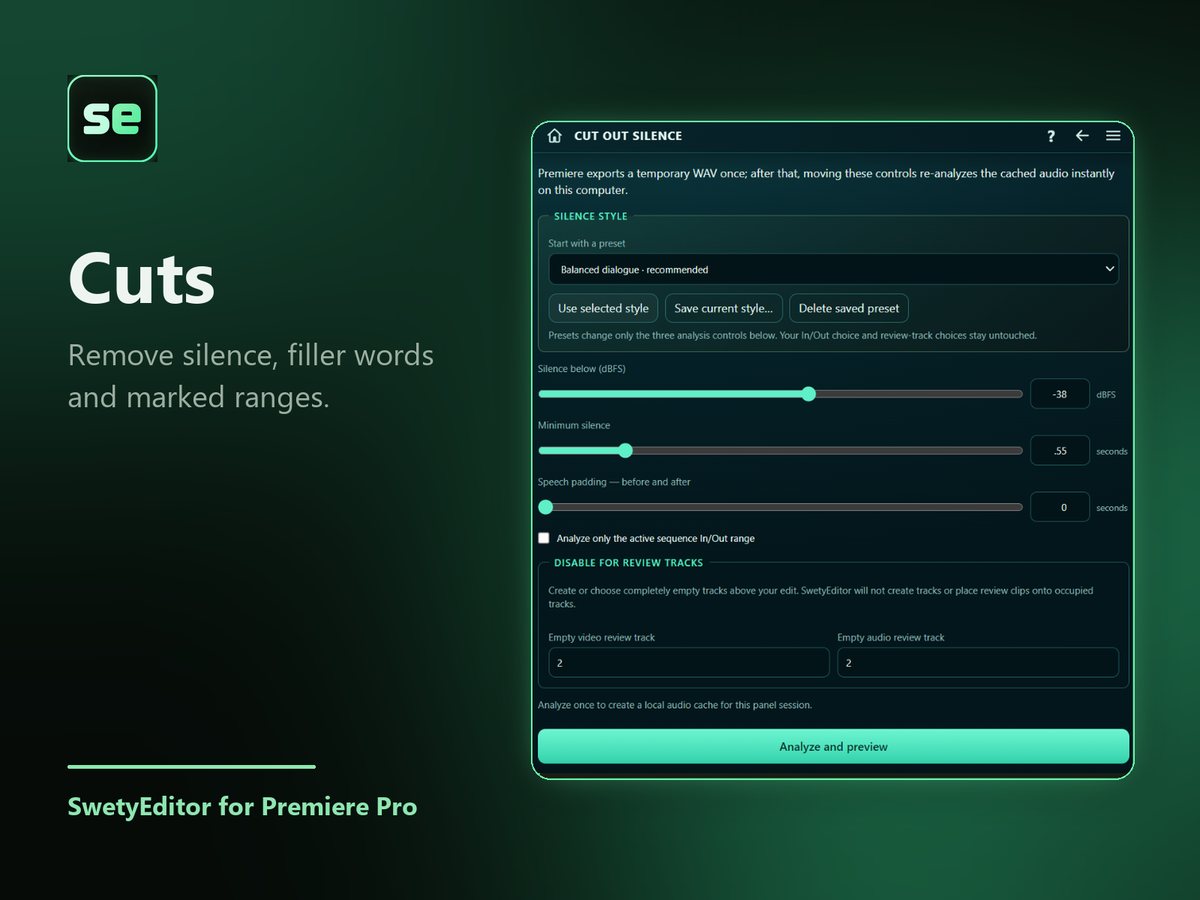
Cut out silenceFinds the quiet gaps, then deletes them and closes the edit, or moves them to spare tracks so you can check them first.
Cut out rangesRemoves the sections you marked, moves them to review tracks, or builds a shorter copy of the sequence without them.
Remove filler wordsUses Premiere's own transcript to find tagged filler words and the terms you add yourself, and takes out the ones you tick.
Bleep profanitySilences flagged words (the original audio is switched off, not deleted) and lays a bleep sound on top, on its own track.
How it works
- Pick the tool you need from the Cuts screen.
- Preview what it found and untick anything you want to keep.
- Run it. Your sequence is backed up first.
Good to know
- On a video track every cut snaps to the nearest whole frame, so it can land up to one frame from the exact point. Trim by hand if you need frame-perfect cuts.
- Filler words and profanity need Premiere's word-level transcript (Text panel, then Export transcript as JSON). The file is read on your computer and not sent anywhere.
- Cut out silence analyzes the audio on your computer. Avoid using Premiere while it runs.