SwetyEditor › Marker Tools
Marker Tools: import, manage and build markers in Premiere Pro
Everything for working with markers, in one place. Bring markers in from a spreadsheet or a client's notes, tidy them, and turn pairs of markers into ranges.
What’s inside
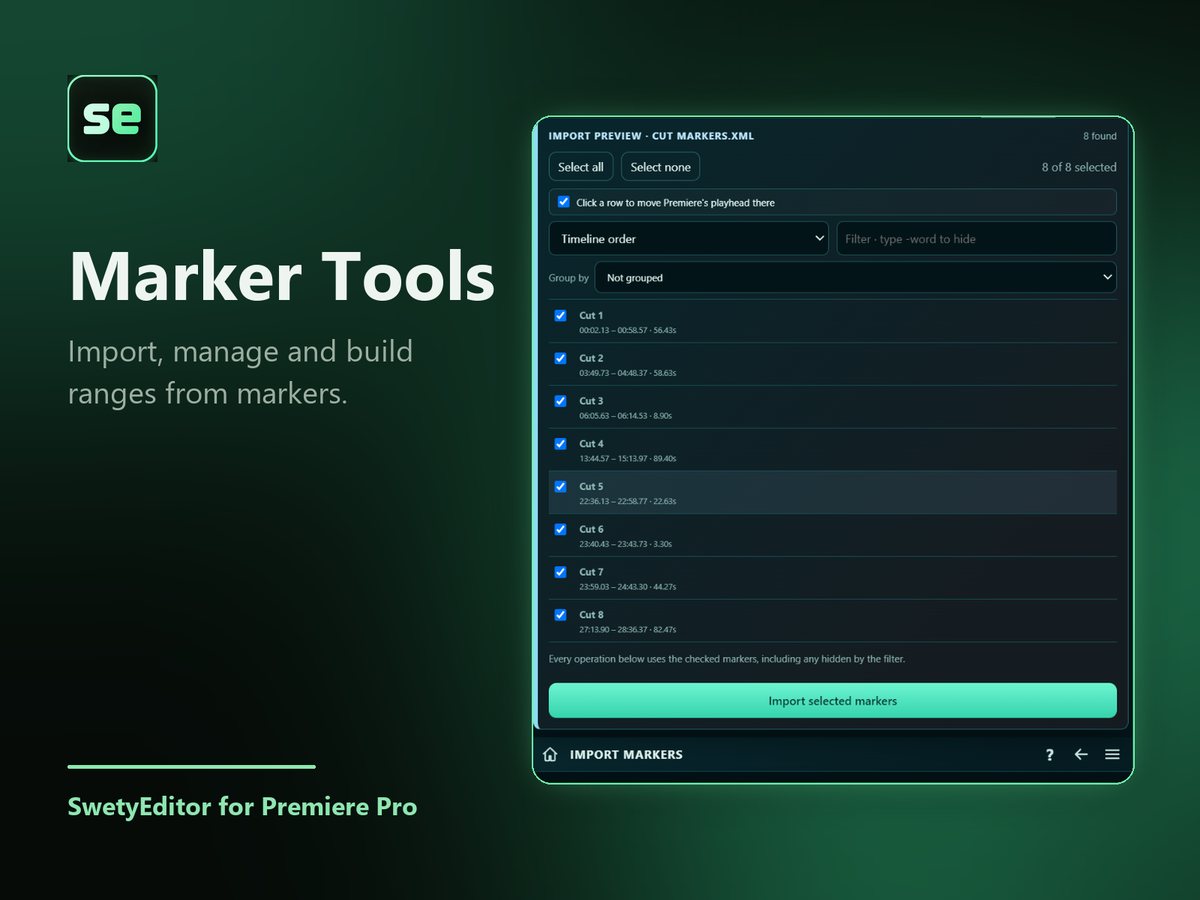
Import markersFrom CSV, XML or FCPXML files. Look through the list, sort or filter it, and untick what you do not want.
Import notesPaste or drop a list of quotes with times, a marked-up transcript or notes such as "cut 12:30 to 14:00". With Premiere's transcript, each quote is matched for an exact start and end.
Manage markersSee every marker with filter, rename and recolor.
Build range markersTurn pairs of point markers of two colors into one marker that covers the whole section.
Insert gapsMarkers named like ADD MUSIC and a length create empty timeline space at each one. A backup is saved first and locked tracks stay untouched.
Export transcript and markersWord-readable transcript and marker files.
How it works
- Choose what you want to do from the Marker Tools screen.
- Look through the list and untick anything you do not want.
- Create the markers.
Good to know
- Nothing is uploaded. Marker files are read on your computer.
- Import notes works best with Premiere's transcript. Without it the written times are used and each quote gets an estimated length, so check a marker or two by ear.