SwetyEditor › Ease
Ease: custom keyframe easing curves in Premiere Pro
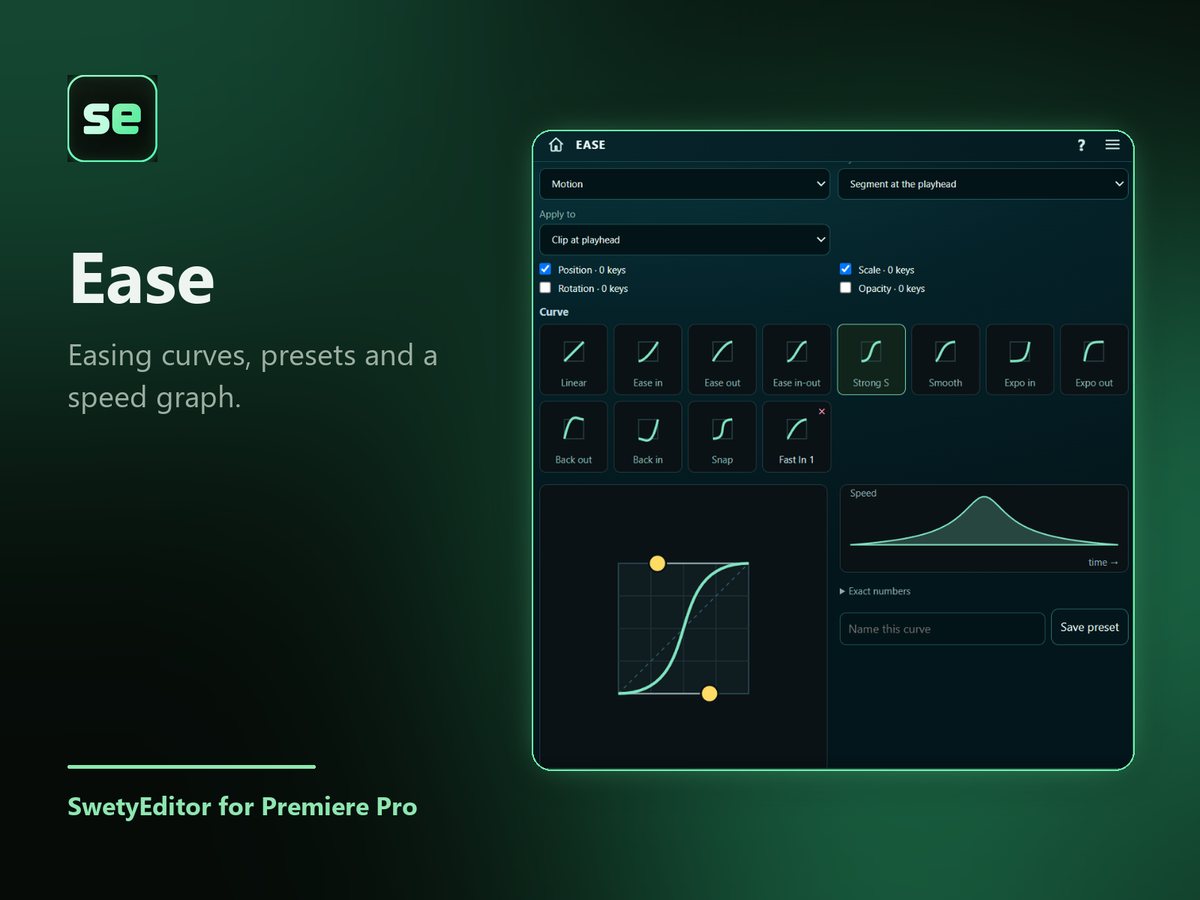
Give animation a smooth start and stop. Pick a curve or drag its two handles, and Ease reshapes the speed of keyframes you already have.
What’s inside
Curves and presetsChoose a preset curve or drag its two handles to make your own.
A speed graphSee how fast the animation moves over time before you apply it.
Choose what to reshapeWorks on Position, Scale, Rotation or Opacity keyframes.
How it works
- Select a clip that already has keyframes.
- Pick a curve, or drag its handles, and choose which keyframes to reshape.
- Press Apply easing.
Good to know
- The result is written as a keyframe on every frame.
- A backup sequence is saved first, and Undo restores the original keyframes.
- Works on the Motion effect or a Transform effect you added to the clip.